
Insights
Webgility vs A2X in 2026: the order-level vs settlement-summary decision that determines who owns your books
Webgility posts at the order level while A2X posts settlement-summary journal entries that match the bank deposit, and that architectural difference determines the fit. A2X suits brands wanting clean P and L by channel and accrual books; Webgility fits QuickBooks Desktop users or those needing TikTok Shop and deep inventory sync. Webgility Complete runs $349 per month versus A2X around $230 to $294.
Key Takeaways
- The core difference is the posting model. Webgility posts every order individually with SKU-level COGS. A2X posts a summary journal entry per marketplace settlement or payout. One is operational and detail-rich; the other is reconciliation-clean and accountant-friendly. Pricing is a sidebar to that decision.
- Webgility covers QuickBooks Online, QuickBooks Desktop, and Xero. A2X covers QuickBooks Online, Xero, Sage, and NetSuite. If you are on QuickBooks Desktop, Webgility wins by default. If you are on Sage or NetSuite, A2X wins by default. Everyone else has a real choice.
- Webgility pricing runs $79/mo (Pro, 300 orders, 2 channels) to $749/mo (Complete Enterprise, 5,000 orders, 5 channels, multi-entity) on QuickBooks Online. A2X prices per channel by order volume: a Shopify + Amazon brand typically stacks two subscriptions in the $150-$300/mo range until volume scales past 10,000 orders/mo.
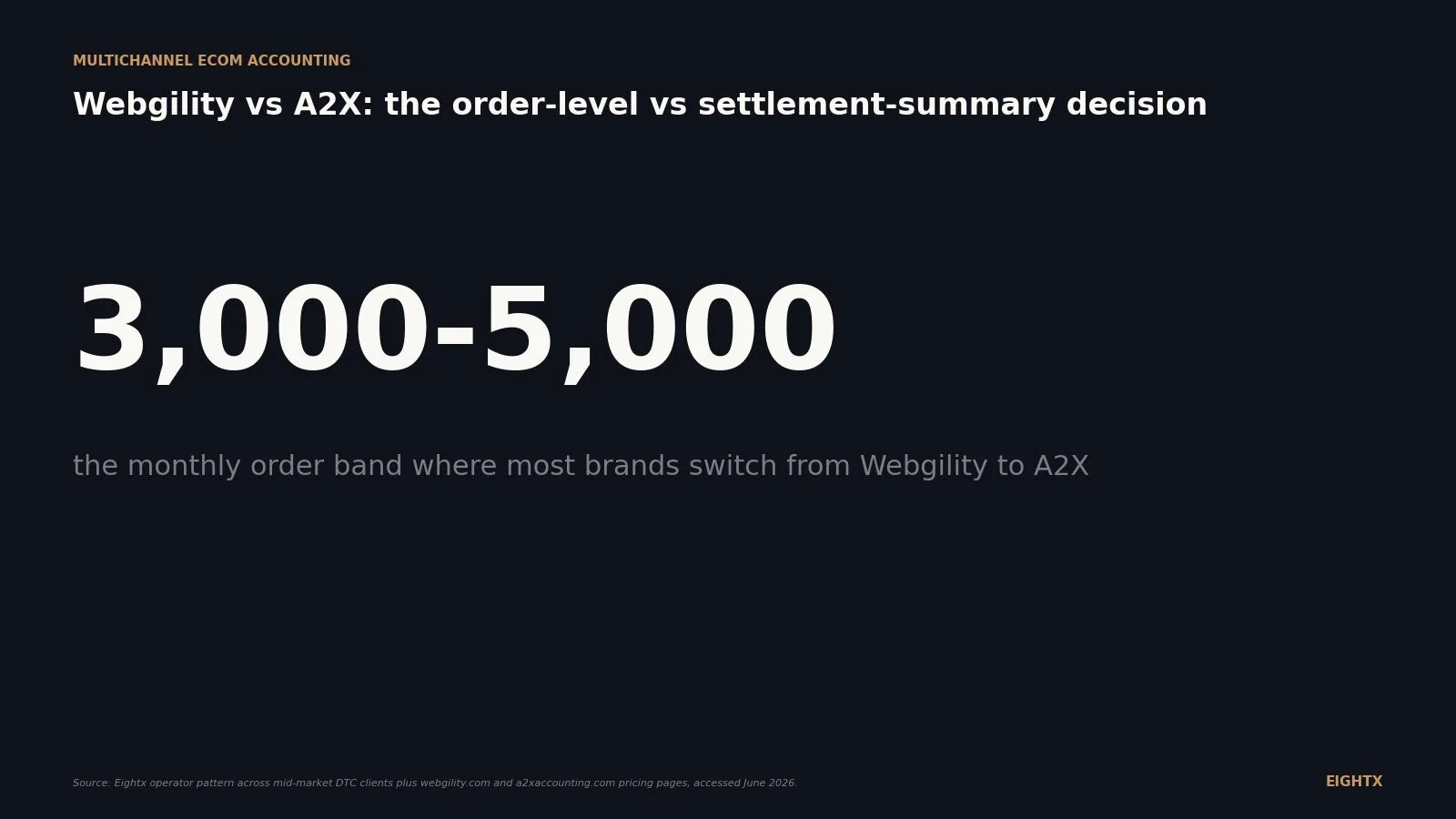
- Most brands switch Webgility to A2X between 3,000 and 5,000 orders per month when QuickBooks Online slows under 100,000-plus annual GL transactions, when an ecommerce-specialist accountant or fractional CFO comes in, or when a sale or capital raise puts payout-to-deposit tie-out under diligence pressure.
- Ecommerce-specialist accounting firms overwhelmingly default to A2X for QuickBooks Online and Xero clients because settlement-summary posting keeps the GL clean, ties to bank deposits, and standardizes across the book of business. Webgility is more common where the operator owns the books in-house, especially on QuickBooks Desktop.
If you sell on Shopify, Amazon, and a third or fourth marketplace, you have probably bounced between Webgility and A2X at least once. They get pitched as the same product and they are not. Webgility posts every order individually into your general ledger (GL) with SKU-level cost of goods sold (COGS). A2X posts one summary journal entry per marketplace settlement or payout, with revenue, fees, refunds, sales tax, and shipping split into separate accounts. That single design choice changes your monthly accounting workflow, who can read your books, and whether your bookkeeper closes the month in two hours or two days.
This post is the operator verdict on Webgility vs A2X in mid-2026: what each one actually does, where each one wins, how the pricing compares at real volumes, and the signals that say it is time to switch. We work with clients on both. The right answer depends on your accounting platform, your order volume, your channel mix, and who owns the books.
The real difference: order-level posting vs settlement-summary journals
The fastest way to decide between Webgility and A2X is to skip the feature checklists and stare at the posting model.
Webgility's own pitch leads with it: "Every transaction posted individually, no batching, no black boxes." Each order from Shopify, Amazon, eBay, Walmart, or TikTok Shop lands in QuickBooks (Online or Desktop) or Xero as its own transaction, with the SKU, price, COGS, fees, refunds, and shipping broken out per line. The benefit is detail. You can run a SKU-level margin report directly from your accounting platform without leaving it.
A2X's pitch goes the opposite direction: "Auto-categorized summaries of sales, fees, and taxes matched to deposits." For Amazon, A2X ingests each settlement (typically a 14-day payout, configurable) and posts one summary journal entry to QuickBooks Online, Xero, Sage, or NetSuite, split into revenue, refunds, referral fees, FBA fulfillment, advertising, sales tax collected, reimbursements, and other line items. For Shopify, it does the same for each payout. One journal entry equals one bank deposit, which is what makes the bank reconciliation a 10-minute job.
Neither model is universally better. Order-level wins when the operator wants their accounting platform to double as the operational system of record (SKU profitability, channel orders, returns). Settlement-summary wins when the operator or their accountant wants the GL to stay clean, reconcile to deposits without manual matching, and survive an audit or diligence review. That is the entire decision. Everything else is sequencing.
What Webgility actually does and who it is built for
Webgility is the older of the two products and was built when QuickBooks Desktop was still the default. That heritage shows up in three places.
First, it is the only mainstream connector with deep QuickBooks Desktop support (Pro, Premier, Enterprise). For brands on QBD that do not plan to migrate to QuickBooks Online in the next 12 months, Webgility is effectively the only modern option.
Second, it is structured as an operational hub, not just a posting connector. The product includes real-time SKU-level inventory sync across channels, channel-level COGS, pricing and fulfillment workflows, and integrations with shipping (ShipStation), POS (Shopify POS, Lightspeed), payments (Stripe, PayPal), and tax (Avalara). For a $1M-$10M brand on Shopify + Amazon + retail POS where the in-house ops team owns both inventory and books, Webgility can replace two or three smaller tools.
Third, Webgility has a managed-books layer that A2X does not. "Books Done" is a $350/mo bolt-on where Webgility's team runs the bookkeeping for you on top of the connector. Higher tiers (Advanced, Complete) also bundle quarterly or guaranteed-monthly reconciliation reviews from a Webgility accountant. The trade-off: you are buying a vendor-managed service, not bringing your own firm.
The best-fit profile for Webgility: a $1M-$10M brand on QuickBooks Desktop or QuickBooks Online, with an in-house ops team running inventory and books, wholesale or POS complexity, and a preference for one tool covering ops plus accounting.
What A2X actually does and who it is built for
A2X is cloud-native, single-purpose, and built around the assumption that an ecommerce-specialist accountant or fractional CFO owns the books.
The product does one thing well: it pulls each marketplace settlement or payout, decomposes it into the right accounts, and posts one summary journal entry to QuickBooks Online, Xero, Sage, or NetSuite. That summary ties exactly to the bank deposit. No order-level noise in the GL. No 100,000-transaction QuickBooks Online performance problem. No accountant complaining about volume.
A2X covers Amazon, Shopify, Etsy, eBay, Walmart, and BigCommerce. Its multi-marketplace Amazon consolidation (US, Canada, UK, EU, Australia) is the meaningful edge for brands selling across regions. The product also has deep accountant-firm distribution through the Xero and QuickBooks ecosystems, which drives default recommendations from ecommerce-specialist firms.
What A2X explicitly does not do: connect to QuickBooks Desktop, post order-level transactions, function as an inventory master, or include managed bookkeeping. Those are all "bring your own" decisions. You bring the bookkeeper or fractional CFO. You bring the inventory tool (Cin7, Katana, Finale, NetSuite native). A2X is the data layer in the middle.
The best-fit profile for A2X: any brand on QuickBooks Online, Xero, Sage, or NetSuite with an outside accountant or fractional CFO who wants clean accrual data, multi-marketplace volume, or diligence-grade reconciliation.
Capability comparison at a glance
Capability Webgility A2X Posting model Order-level (each transaction individually) Settlement-summary journal entries QuickBooks Online Yes (Pro / Advanced / Complete tiers) Yes (primary) QuickBooks Desktop Yes (deep: Pro / Premier / Enterprise) No Xero Yes Yes (primary) NetSuite No Yes Sage No Yes Shopify, Amazon, eBay, Walmart, Etsy Yes Yes BigCommerce Yes Yes WooCommerce, Magento, Wix Yes Not on public homepage TikTok Shop Yes Not on public homepage Inventory sync (channel and accounting) Yes: real-time SKU-level Reflects via journal; relies on QBO/Xero or IMS as master SKU-level COGS Yes: per order Yes: per settlement period Managed books / accountant review Books Done ($350/mo) plus tier-included reviews Bring-your-own ecommerce accountant
Cost: how the two stack up as you scale
Pricing is not the deciding factor for this decision, but it is the question every operator asks first.
The chart compares Webgility's QuickBooks Online tiers (Pro at $79/mo, Advanced at $149/mo, Complete at $349/mo, Complete Enterprise at $749/mo) against an A2X Shopify + Amazon stacked subscription at matching order volumes. The takeaway: A2X is cheaper at very low volumes (under 500 orders/month, when the Mini and Basic tiers are enough on both channels), Webgility is cheaper in the 1,000-2,000 order range (one Webgility tier covers both channels while A2X charges per channel), and A2X pulls ahead again above 3,000 orders/month and stays ahead through 20,000.
The detail behind the chart, with a real-brand comparison at each volume band:
Brand profile (Shopify + Amazon) Webgility plan Webgility USD/mo A2X channels (Amazon tier = parity estimate) A2X USD/mo 500 orders/mo Pro (300 cap + overage) or Advanced $79-$149 Shopify Basic + Amazon (Basic-parity) ~$74-$104 1,500 orders/mo Advanced $149+ Shopify Professional + Amazon (Professional-parity) ~$158 5,000 orders/mo Complete $349 Shopify Premium 5k + Amazon (Premium 5k-parity) ~$230-$294 10,000 orders/mo Complete Enterprise $749 Shopify Premium 10k + Amazon (Premium 10k-parity) ~$378 20,000 orders/mo + Walmart Complete Enterprise + extra channel ~$770+ Shopify + Amazon + Walmart Premium tiers ~$700-$900
Three things worth noting. Webgility includes 2-5 channels in its tier price; A2X charges per channel. That math flips the comparison once you add a third or fourth channel. A2X consolidates multiple Amazon marketplaces (US + Canada + UK + EU + AU) into one Amazon subscription, which is a real cost advantage for international Amazon sellers that the chart does not capture. And both vendors offer annual billing at 15-20% off; verify the actual percentage against the in-app billing page before assuming.
Where each tool actually wins
Pricing aside, here is where the two products land on the use cases that come up in real evaluations.
Webgility scores highest on QuickBooks Desktop (no contest), order-level GL detail, inventory plus ops in one tool, and SKU-level COGS per order. A2X scores highest on QuickBooks Online or Xero with an outside accountant, NetSuite, Sage, settlement-summary accrual, multi-currency Amazon, and high-volume DTC (10,000+ orders/mo).
The middle of the chart is where most evaluations actually live. A $5M Shopify + Amazon brand on QuickBooks Online with a part-time outside bookkeeper could legitimately go either way. Webgility wins if the operator wants inventory plus books in one tool and is comfortable with the GL volume. A2X wins if the bookkeeper is the deciding voice and wants the GL to stay clean. Almost every ecommerce-specialist accounting firm we work with picks A2X in that scenario.
The crossover: signals you have outgrown Webgility (or A2X was wrong from day one)
The switch usually happens for one of five reasons.
Signal What it means Recommended action QuickBooks Online reports typically take 30+ seconds to load Order-level posting has filled the GL with 100,000+ transactions/year Migrate to A2X summary journals Brought in a fractional CFO or ecommerce accounting firm They expect settlement-summary accrual and standard mappings Default to A2X (or document why you are keeping Webgility) Planning a sale or capital raise in 12-18 months Diligence reviewers expect A2X-style payout-to-deposit tie-out Move to A2X 6+ months before the process starts Adding Sage or NetSuite Webgility does not connect to these platforms A2X (or move ERP to NetSuite native ecom integrations) Still on QuickBooks Desktop, want one tool for ops + accounting Webgility's home turf Stay on Webgility; revisit at QBO migration
Going the other direction (A2X to Webgility) is rare. It happens when a brand decides to consolidate ops plus accounting in one tool on QuickBooks Desktop, or when the outside accounting firm goes away and the in-house team wants the operational features (inventory sync, channel order management, POS integration) that A2X does not provide.
The migration from Webgility to A2X is not painful but it does need a weekend and two weeks of parallel review. Pick a month-end as the cutover date, post final Webgility entries through that date, install A2X with a matching chart of accounts (revenue, refunds, marketplace fees, FBA fulfillment, advertising, sales tax, shipping), and spot-check the first two settlements against Seller Central before fully retiring Webgility.
Why this matters for your business
Multichannel ecommerce accounting is plumbing. Nobody talks about it on operator Twitter. But the wrong choice quietly costs you in three places.
It costs you in close speed. A bookkeeper running A2X closes a $5M Shopify + Amazon brand in two hours. The same bookkeeper running Webgility on a 100,000-transaction QuickBooks Online file closes it in two days. At outsourced senior US bookkeeper rates ($80/hour), that 14-hour delta is roughly $1,100/month of avoidable cost.
It costs you in reporting. Order-level posting in QuickBooks Online buries the marketplace-fee story under thousands of small transactions. You cannot see your channel P&L without a third-party reporting layer. Settlement-summary posting puts referral fees, FBA fulfillment, ad spend, and reimbursements into named accounts you can read at a glance.
It costs you in diligence. When you go to sell or raise, the reviewer's first question is "tie out three months of marketplace payouts to bank deposits." A2X passes that test by design. Webgility on QuickBooks Desktop with order-level posting requires a 40-hour cleanup project to produce the same view, six months before you start the process.
For the deeper read on how to structure the bookkeeping on top of either tool, see our A2X for Shopify and Amazon operator verdict, our Amazon FBA bookkeeping guide, and our Amazon Seller Central accounting playbook.
Webgility and A2X are not the same product solving the same problem. Webgility is an operational hub that makes your accounting platform the system of record for SKU-level ecom detail. A2X is a settlement-to-GL connector that keeps your books clean enough for an outside accountant to run. If the operator owns the books, lean Webgility. If an outside firm owns the books, lean A2X. Above 3,000 orders/month on QuickBooks Online, lean A2X regardless. That is 90% of the decision.
What to do this week
If you are evaluating Webgility vs A2X right now, run this five-step audit before you commit either way.
- Identify who actually owns your books. In-house ops team running it themselves leans Webgility. Outside accounting firm or fractional CFO leans A2X. This single answer determines 80% of the decision.
- Confirm your accounting platform. QuickBooks Desktop = Webgility (full stop). NetSuite or Sage = A2X (full stop). QuickBooks Online or Xero = real choice; proceed to step 3.
- Count your monthly orders across all channels. Below 1,500 orders/month and on QBO/Xero with one bookkeeper, either tool works; pick the cheaper one for your channel mix. Between 1,500 and 5,000 orders, the cost gap is real and A2X usually wins on QBO/Xero. Above 5,000 orders, A2X is the default unless you have a specific reason (NetSuite would be the upgrade path).
- List your channels in order of revenue contribution. If TikTok Shop is in your top three, Webgility has a cleaner public story today. If Amazon multi-marketplace (US + Canada + UK + EU + AU) is in your stack, A2X has the cleaner story. Everything else is a wash.
- Pilot the chosen tool for 30 days against your actual transaction mix before fully committing. Run it in parallel with whatever you have today. Spot-check two settlement periods against Seller Central or Shopify payouts. If the mappings are right and the bank reconciliation closes cleanly, ship it. If not, you have learned something cheap.
Sources and methodology
Webgility product, pricing, and positioning. Posting-model claim ("every transaction posted individually, no batching, no black boxes"), accounting-platform support (QuickBooks Online, QuickBooks Desktop Pro/Premier/Enterprise, Xero), channel coverage (Amazon, Shopify, eBay, Walmart, Etsy, BigCommerce, WooCommerce, Wix, Magento, TikTok Shop, Shopify POS, Lightspeed POS, ShipStation, Avalara, Stripe, PayPal), and full pricing ladder (Pro $79/mo to Complete Enterprise $749/mo on QuickBooks Online, $139-$749 on QuickBooks Desktop, plus add-ons including $10/mo per 500 extra orders, $20/mo per additional channel, and the $350/mo Books Done managed service) pulled directly from webgility.com homepage and webgility.com/pricing on 2026-06-02.
A2X product, pricing, and positioning. Posting-model claim ("auto-categorized summaries of sales, fees, and taxes matched to deposits"), accounting-platform support (QuickBooks Online, Xero, Sage, NetSuite; no QuickBooks Desktop), channel coverage (Amazon, Shopify, Etsy, eBay, Walmart, BigCommerce), and the full Shopify 12-tier ladder ($29 Mini to $1,039 Premium 100k) pulled from a2xaccounting.com homepage and a2xaccounting.com/shopify/pricing on 2026-06-02. A2X Amazon-channel pricing in Table 2 is parity-assumed off the Shopify tier ladder, not directly verified against a2xaccounting.com/amazon/pricing; operators should confirm Amazon tier-specific pricing before committing.
Switch thresholds and the 3,000-5,000 orders/month range. Operator-pattern observation across Eightx engagements with mid-market DTC clients (Shopify + Amazon brands at $1M-$50M) plus consensus across ecommerce-accountant forums and G2 review patterns. These are directional, not vendor-quoted, and not the same as a hard QuickBooks Online performance threshold. The performance wall on QuickBooks Online typically appears between 100,000 and 200,000 GL transactions per year, which is the volume range a 3,000-5,000 orders/month order-level posting cadence produces.
Cost comparison table. Webgility tier prices are list prices on webgility.com/pricing as of 2026-06-02. A2X tier prices are list prices on the channel-specific pricing pages as of 2026-06-02. Stacked Shopify + Amazon A2X cost figures sum the matching-volume tier on each channel. Annual billing discount of 15-20% applies to both vendors and is referenced once but not modeled in the table. Real quotes vary by tier overlap (e.g., a 4,500-orders/mo Shopify brand sits on the 5k tier and pays for headroom).
Limitations. No live demo accounts were inspected for either product; integration depth claims rest on vendor documentation. Multi-currency edge cases (especially AU and CA brands selling on Amazon.com), refund handling nuances, gift-card reporting, and subscription billing platforms (Recharge, Bold, Skio) all exist as documented edge cases and are not stress-tested here. Anyone evaluating either tool at $5M+ revenue should run a 30-day parallel pilot with their actual transaction mix before committing. Eightx works with clients on both platforms and does not receive referral economics from either vendor; this comparison is platform-neutral.
Update cadence. Refresh quarterly. Pricing pages on both vendors move (A2X has updated tier counts twice since 2024; Webgility refreshed its pricing structure in late 2025). Next update target: Q4 2026.
Frequently asked questions
what's actually the difference between webgility and a2x?
Webgility posts every order individually into your accounting platform with SKU-level COGS, refunds, fees, and shipping on each transaction. A2X aggregates a marketplace settlement period (typically 14 days on Amazon, each payout on Shopify) into one summary journal entry that splits revenue, refunds, fees, sales tax, and shipping into separate accounts. Order-level versus settlement-summary. That single choice cascades through everything else: GL volume, reconciliation workflow, who can read your books, and what diligence reviewers see.
does webgility work with quickbooks desktop and a2x doesn't, right?
Correct. Webgility supports QuickBooks Desktop (Pro, Premier, Enterprise) directly and that has been a defining edge for years. A2X is cloud-native and does not connect to QuickBooks Desktop at all. If you are on QuickBooks Desktop and not planning to migrate to QuickBooks Online in the next 6-12 months, Webgility is effectively your only mainstream choice. A2X becomes available the moment you move to QBO, Xero, Sage, or NetSuite.
at what order volume should i switch from webgility to a2x?
Most brands hit the wall between 3,000 and 5,000 orders per month, which is roughly 100,000 to 200,000 GL transactions per year. Symptoms we typically see: QuickBooks Online reports take 30+ seconds to load, your accountant complains about transaction volume, or you onboard a fractional CFO who asks for settlement-summary posting on day one. Above 10,000 orders/month, staying on order-level posting becomes a real performance problem in QuickBooks Online. Order-level can keep working on QuickBooks Desktop or NetSuite for longer, but the readability problem gets worse either way.
why do ecommerce accountants prefer a2x over webgility?
Three reasons. First, A2X ties cleanly to bank deposits: every journal entry matches a payout amount, which makes month-end reconciliation a 10-minute job instead of a 4-hour job. Second, it standardizes across the firm's book of business, so a senior accountant can move between clients without relearning chart-of-accounts mappings. Third, the GL stays small enough that QuickBooks Online performs and audit trails are readable. None of this means Webgility is wrong. It means it is built for operators running their own ops, not for outside accountants running a portfolio of clients.
can i use a2x if i'm on quickbooks desktop?
No. A2X has never supported QuickBooks Desktop, and as of June 2026 there is no public indication that will change. If you want A2X-style settlement-summary posting on QuickBooks Desktop, the workaround is to migrate to QuickBooks Online (or Xero) first, then turn on A2X. Most brands that try to stay on QuickBooks Desktop and replicate A2X manually end up doing it in spreadsheets, which is fine at low volume and falls apart fast once you cross 1,000 orders/month.
does a2x handle tiktok shop or just amazon and shopify?
As of June 2026, A2X's public homepage lists Amazon, Shopify, Etsy, eBay, Walmart, and BigCommerce. TikTok Shop is not on the homepage channel list. Webgility does list TikTok Shop as a supported channel. If TikTok Shop is a material revenue line for your brand, Webgility has the cleaner story today. A2X may have added it via a newer channel page (their roadmap moves), so confirm directly with their sales team before making it a deciding factor.
how much does webgility cost vs a2x for a $5m shopify + amazon brand?
At roughly 5,000 orders/month on Shopify plus Amazon, Webgility's Complete tier on QuickBooks Online lands at $349/mo and covers both channels. A2X stacks two channel subscriptions: Shopify Premium 5k at $115/mo plus the Amazon equivalent (estimated at parity with the Shopify tier ladder, roughly $79-$115/mo; we have not verified the exact Amazon tier prices on a2xaccounting.com/amazon/pricing, so operators should confirm before committing), landing in the $230-$294/mo range. A2X is cheaper by roughly $55-$120/mo on that estimate. Below ~1,500 orders/mo the gap flips and Webgility is cheaper for the same channel pair. Annual billing knocks both down 15-20%.
what happens to my books when i switch from webgility to a2x?
A clean cutover takes a weekend. You pick a month-end as the switch date, post final Webgility entries through that date, disconnect Webgility, install and map A2X with a matching chart-of-accounts structure (revenue, refunds, marketplace fees, FBA fulfillment, advertising, sales tax, shipping), and start A2X postings from the next settlement period. Your historical GL is unchanged. The visible change is that everything from the cutover date onward is summary journals instead of individual orders. Plan for two weeks of parallel review: spot-check a few settlements against Seller Central to make sure the mapping is right before fully retiring Webgility.
See the full ecommerce accounting hub — software, settlement reconciliation, sales tax, and FP&A.